Our automated safety system is live — it detects, blocks and reports illegal content. Learn more
Studio Pro is in alpha — invited testers can download it here

Turn Discord messages into GIFs.

GiphyFy is a free Discord bot that captures any message as a clean GIF screenshot — and converts your photos, clips and TikToks while it's at it. Right-click, create, share.

Free foreverNo setupWorks in servers & DMs

general
🦊
kaiToday at 14:02
who's bringing snacks to movie night 👀
🐸
mochiToday at 14:03
i'm not lazy, i'm just on energy-saving mode
GiphyFyjust now
GIF
🐸
mochi14:03
i'm not lazy, i'm just on energy-saving mode

Right-click a message → Apps → Screenshot GIF. That's the whole workflow.


01 Features

A small bot that does a few things really well.

GiphyFy lives right where your conversations happen. No dashboards to learn, no settings pages — just a right-click menu and a handful of commands.

Message → GIF screenshot

Right-click any message and GiphyFy renders it as a pixel-perfect Discord screenshot, delivered as a GIF in seconds. The funniest thing someone said, immortalized.

Photo → GIF

Convert PNG, JPG or WEBP into a high-quality GIF — smooth gradients or razor-sharp, your choice.

Video → GIF

Turn MP4, WEBM or MOV clips into animated GIFs, with control over frame rate and duration.

TikTok embeds

/embed drops a TikTok in as a playable video — or grab the file. YouTube and Instagram are on the way.

Works everywhere

Install it as a personal User App or add it to your whole server — it even works right inside DMs.

You stay in control

Every GIF comes with a delete button that only you or the original author can press.

02 How it works

Three steps. No setup.

If you can right-click, you can GiphyFy.

Add GiphyFy

Install it as a User App just for you — works anywhere, even in DMs — or add it to your server for everyone.

Right-click a message

Open Apps → Screenshot GIF on any message. Or reply and mention the bot, or hand a file to /giphyfy.

Share your creation

Your GIF arrives in seconds — delete button included — ready to send anywhere on Discord. That's it.

03 Commands

Five things worth remembering.

Everything else the bot explains as you go.

Full command reference
/giphyfyConvert an image or video into a GIF.
/screenshotGIF screenshot of a message by its ID.
/embedEmbed a TikTok as a playable video.
/helpSee everything GiphyFy can do.
Apps → Screenshot GIFRight-click any message to create instantly.

04 From the same workshop

Two more things we're building.

Studio Pro — in alpha

A proper video editor, from the same tiny team.

A native Windows editor built from the ground up — timeline-based workflow, layered tools, advanced filters and flexible export. Currently in private alpha for invited testers.
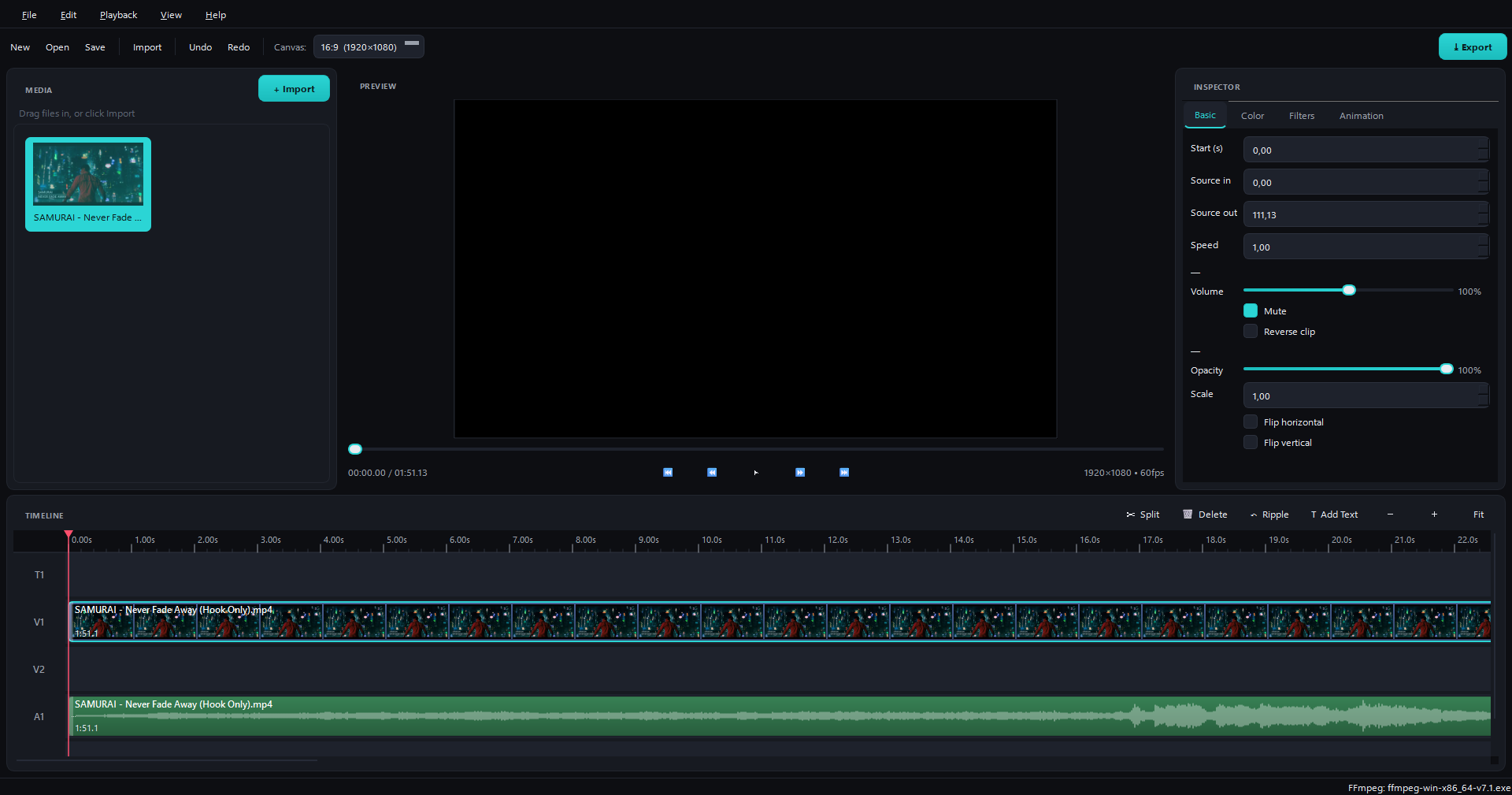
GiphyFy Studio Pro editor

ClipyFy — in development

Clip every moment, without the bloat.

A lightweight, native Windows clipping app — always-on Instant Replay, a built-in editor, and one-click GIF export. Like Medal, but lighter, faster and prettier.

Everyone's welcome at GiphyFy. We stand with the LGBTQ+ community — GiphyFy is built by a small queer team. Read our Pride page

Ready when you are.

Add GiphyFy to Discord and turn your first message into a GIF in under a minute. Free, no account, no setup.